Basic Usage
The four object types
Before we dive into using the API, you should understand that the wrapper returns four object types:
Page– Page of information, containing information about other pages and containing a list of eitherWallpaperorUserobjects.Wallpaper– Object defining a wallpaper on the site, containing information about the image, thumbnail and preview image, and metadata about the image.User– Object defining a user on the site, containing metadata about them, including things like sign up date and likes count.Image– Object defining an image on the site. It is contained in aWallpaperobject. It contains the direct URLs to images (full, preview, and thumbnails)
Examples
A simple test
Let’s start with a very simple test. You want to get the number of wallpapers the user keithpitt has in their collection. It’s as simple as follows:
>>> import DesktopprApi
>>> api = DesktopprApi.DesktopprAPI()
>>> user = api.get_user_info('keithpitt')
>>> user.wallpapers_count
93
Each of the four object types have all attributes that the server responds with available by objectname.attribute.
Another simple example
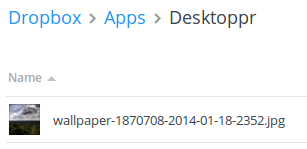
We want to sync a wallpaper to our DropBox progmatically. In this instance, we want it to be random wallpaper that’s safe for work. Assuming we already have linked a DropBox account and have our API key, we can do it as follows:
>>> import DesktopprApi
>>> api = DesktopprApi.DesktopprAPI()
>>> wallpaper = api.get_random_wallpaper()
>>> api.authorize_API('YOUR_API_KEY_HERE')
>>> api.sync_wallpaper(wallpaper.id)
And voilà, it works!
Getting straight URLs
The method get_wallpaper_urls() is a convenience method built into the wrapper that allows you to get direct URLs to full resolution images.